
Launchers
Every repo card is a launchpad. Orrery has four launch actions, each with its own colour identity, and a one-click preset switcher in Settings so you never have to hand-write a command.
The four actions
| Action | What it does |
|---|---|
| Open in IDE | Opens the repo in your configured editor. |
| Agent | Drops a terminal coding agent into the repo (Claude Code, Aider, Codex, …). |
| Folder | Reveals the repo's directory in your file manager. |
| Open on host | Opens the repo's GitHub/GitLab page in your browser (when it has a remote). |
The IDE and Agent buttons show the configured tool's logo and name (e.g. VS Code, Claude Code) and stay neutral so the brand reads cleanly; Folder and Open-on-host carry their own accent colours.
Preset switcher
In Settings → Launchers, pick your editor and agent from preset chips with real brand logos — no command syntax required.
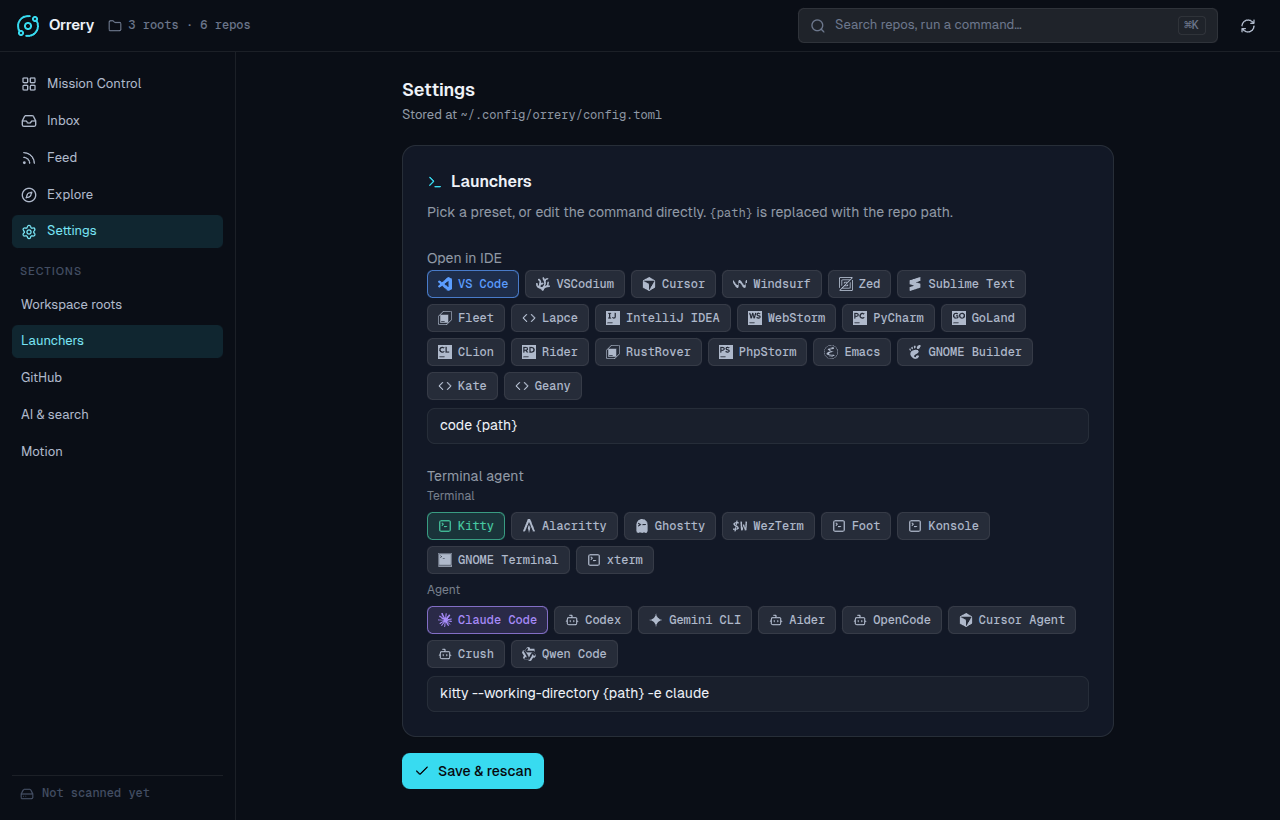
- Open in IDE — VS Code, VSCodium, Cursor, Windsurf, Zed, Sublime Text, Fleet, Lapce, the JetBrains family (IntelliJ, WebStorm, PyCharm, GoLand, CLion, Rider, RustRover, PhpStorm), Emacs, GNOME Builder, Kate, Geany.
- Terminal agent — two axes: a terminal emulator (Kitty, Alacritty, Ghostty, WezTerm, Foot, Konsole, GNOME Terminal, xterm) and an agent CLI (Claude Code, Codex, Gemini CLI, Aider, OpenCode, Cursor Agent, Crush, Qwen Code). Picking a terminal preserves your agent and vice-versa.
The active preset highlights in the action's colour. Detection round-trips, so the chips reflect whatever the saved command resolves to.
Custom commands
Prefer to hand-roll it? The raw command field stays available under each preset row. Use {path} where the repo path should be substituted, e.g.:
code {path}
kitty --working-directory {path} -e claude
Any command that doesn't match a preset simply shows no highlighted chip and falls back to a generic glyph on the cards.