
Mission Control
Mission Control is the home view: a windowed grid of every repo Orrery found across your workspace roots. It's built to scale to hundreds of repos — the grid is virtualized, so only what's on screen is rendered.
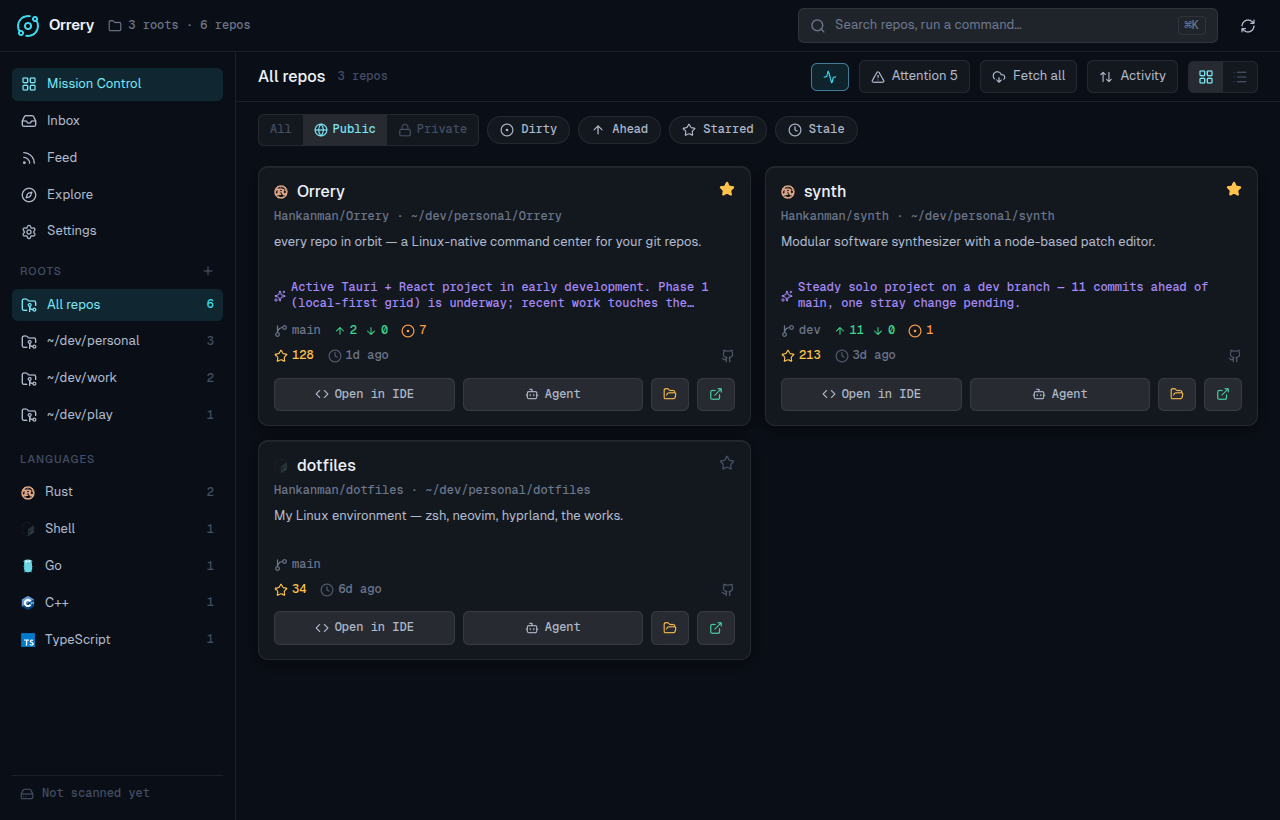
The repo card
Each card fuses local git state with host enrichment and an optional AI summary:
- Language logo — a full-colour mark for the detected primary language.
- Slug & path —
owner/repo(if it has a remote) and the abbreviated on-disk path. - Description — the README's first line, with the AI summary on its own line when available.
- Git status row — branch, ahead/behind divergence, and uncommitted-change count. Clean repos stay quiet — no badge, since clean is the unremarkable default.
- Host row — a lock for private repos, CI state, stars, latest release, last-commit time, and the host icon.
- Launch actions — Open in IDE, Agent, reveal Folder, and Open on the host. See Launchers.
Filtering & sorting
The toolbar and chip row narrow the grid:
- Visibility —
All/Public/Private. Public means a non-private remote; private covers private remotes and local-only repos (which aren't published anywhere). - Chips —
Dirty,Ahead,Starred,Stale(multi-select). - Attention — a quick toggle for repos that need it: uncommitted work, unpushed/behind commits, or no recent activity.
- Sort — by Activity, Name, or Stars.
- Roots & Languages — the sidebar filters by workspace root and detected language.
The activity graph at the top summarises recent commit activity across the visible repos; toggle it from the toolbar.
Projects & saved views
The sidebar adds two ways to carve up a large workspace:
- Projects — tag repos to group related work, then filter the grid to one tag.
- Saved views — capture the current filter/sort/visibility combination as a named preset and jump back to it in one click. Presets persist locally.
Selecting repos
Each card has a checkbox; select one or more (or use the toolbar's select-all) to bring up the fleet bar for batch git operations across the selection. See Fleet operations.
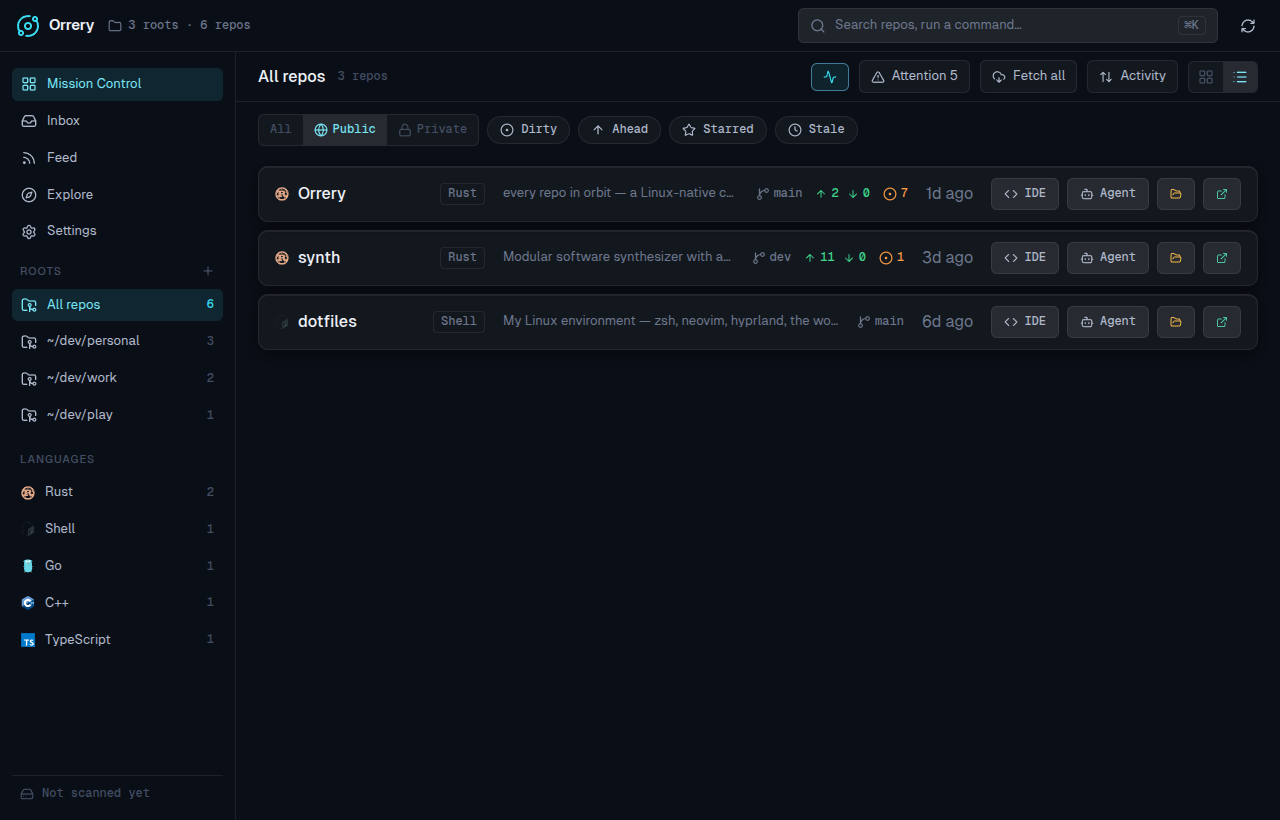
List view
Switch to a compact, single-line view from the segmented control — useful when you're scanning a lot of repos at once.
The repo drawer
Click a card to slide out a detail drawer with the repo's branches, recent commits, staged-diff view, README, a PR/CI panel, and per-repo notes — plus the same launch actions in the footer.
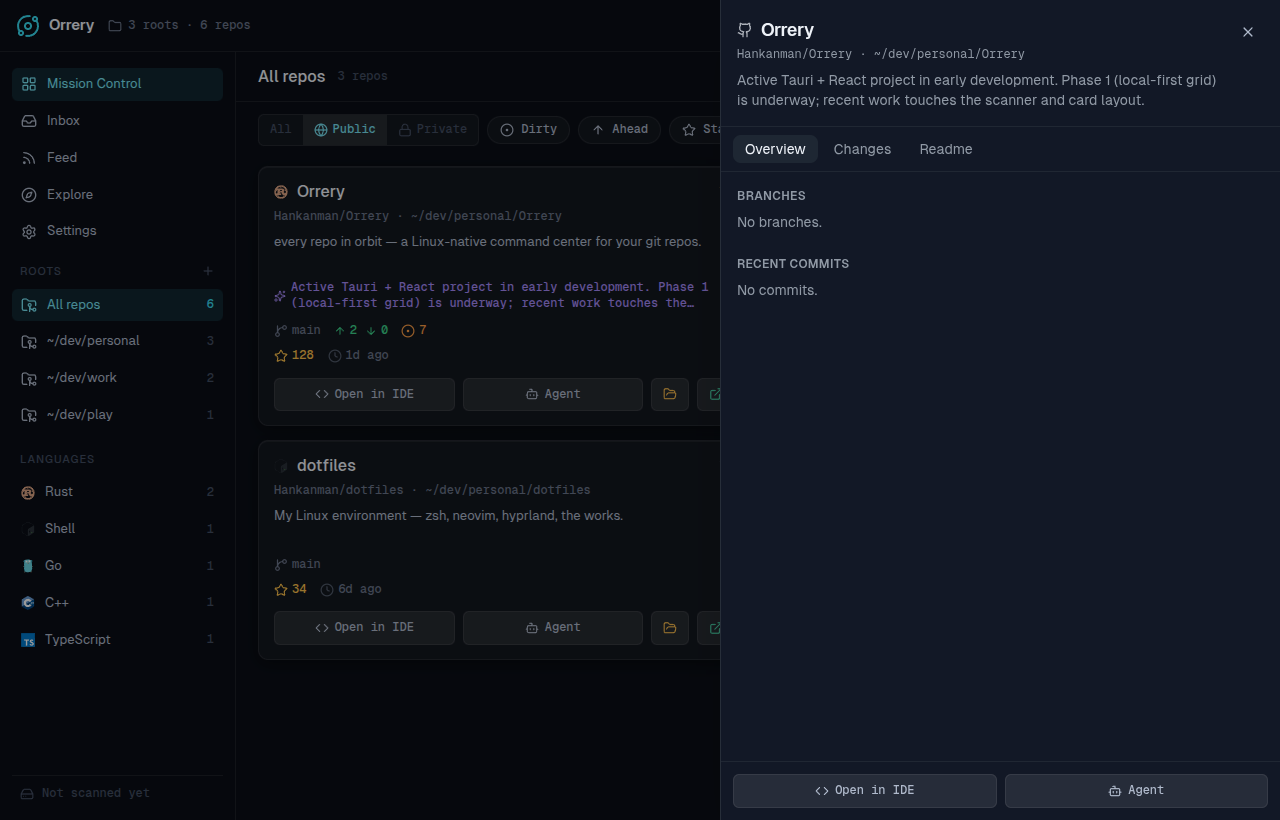
It's covered in full on its own page: The repo drawer.
Command palette
Press ⌘K / Ctrl K to search repos and run commands without leaving the keyboard.
It also does cross-repo code search: type a query and Orrery runs ripgrep across your repos, returning matching files and lines you can open directly — a fast way to find that one call site across the whole fleet.