
The repo drawer
Click any card in Mission Control to slide out the repo drawer — a focused detail view that never leaves the grid. It's organised into tabs, and the footer keeps the same launch actions as the card.
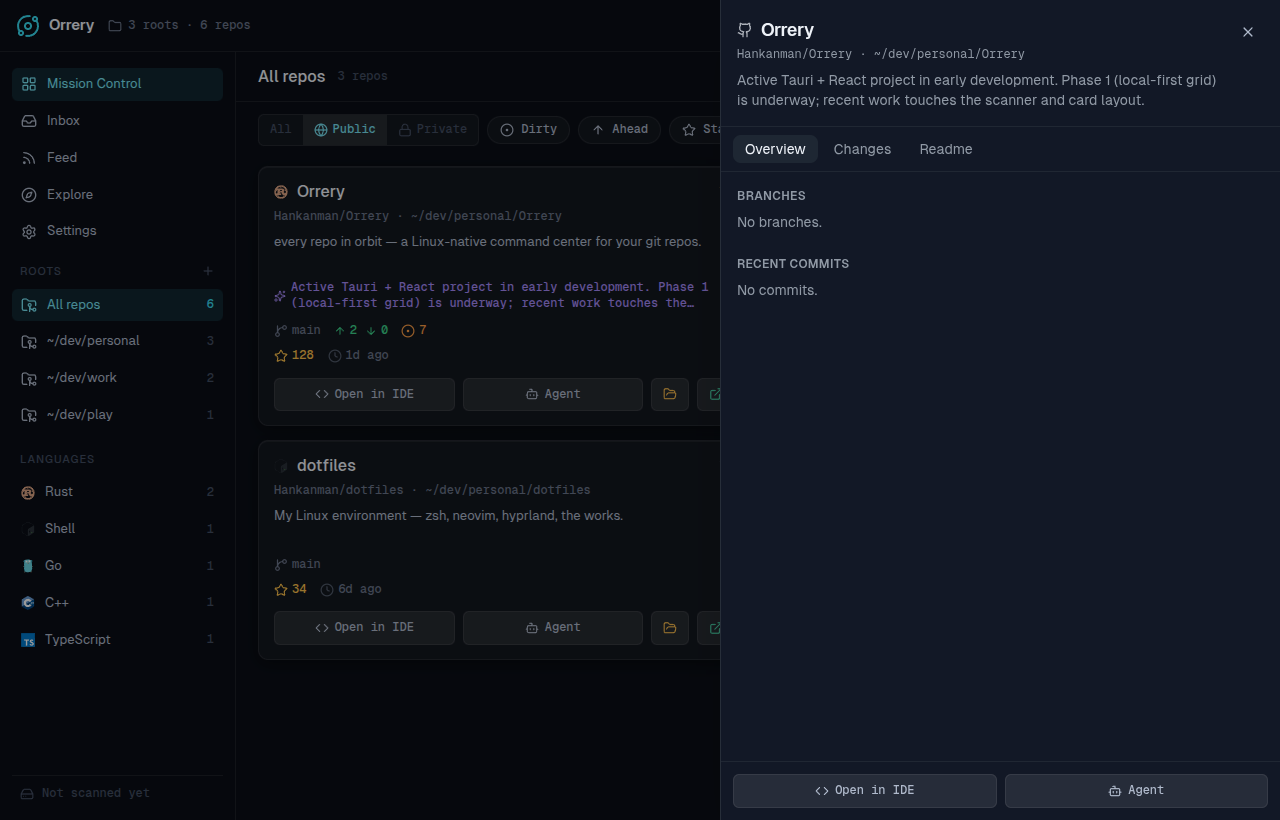
Overview
The home tab for a repo:
- Branches — every local branch with its upstream and ahead/behind state; switch branch in a click.
- Recent commits — the latest history with author and relative time.
- Worktrees — list, add, and remove linked git worktrees. Create one to work on a branch in parallel, or to drop an agent into an isolated tree. Removing a worktree unlinks it; the folder stays on disk.
Changes
Everything for turning working changes into a commit:
- Staged diff — a syntax-aware view of what's staged.
- AI commit message — draft a message from the staged diff, then commit inline. (Shown when AI is on.)
- Changelog — summarise recent history into release-style notes.
PRs
For repos hosted on GitHub, the PRs tab is a compact action panel over the repo's open pull requests:
- CI checks — the rolled-up status plus individual check runs.
- Reviews — who approved or requested changes, and the overall review decision.
- Mergeability — clean vs. conflicting.
- Quick-merge — merge a PR with the method you choose, limited to the methods the repository actually allows (squash / rebase / merge). You can also approve from here.
This is the fastest path from "CI is green" to "merged" without opening a browser. See also the Inbox for PRs across every repo at once.
Notes
A scratchpad that belongs to the repo, plus a catch-up:
- Notes — free-text notes per repo, autosaved and stored in the local cache. Good for "where was I", a TODO, or context you don't want in the codebase.
- Resume — a "what changed since I last looked" banner: the count of new commits, and (with AI on) a short synthesized catch-up. Orrery remembers the commit you'd last seen, so the catch-up is scoped to exactly the new work.
Readme
The repo's rendered README, so you can remind yourself what a project is without switching apps.